|
VisionBox AGE-X Linux
2026-08-04
|

|
|
VisionBox AGE-X Linux
2026-08-04
|
|
Images for the VisionBox AGE-X use the amd64 architecture.
IMAGO currently provides a single image configuration:
| Configuration | Description | Installation size |
|---|---|---|
| a | Basic image
| ≈ 2 GB |
The Installation script creates a new GPT partition table on the target device using the following layout:
| Partition | Type | Size | File system type | Mount point |
|---|---|---|---|---|
| 1 | BIOS boot | 1 MB | - | - |
| 2 | EFI system | 1 GB | VFAT | /boot |
| 3 | Linux | remaining space | Ext4 | / |
The public Debian repository at deb.imago.tech enables online installation and updates of packages provided by IMAGO. The repository is already prepared in the Linux images, provided by the package imago-archive-keyring.
The repository is already prepared in new Linux images.
To download and install or upgrade the repository manually:
The following software packages are currently supported:
Example for installing or updating the SDK:
Support for Secure Boot is implemented starting with Debian 13 and requires support by the hardware. The following devices are currently supported:
The Installation script automatically prepares the system for Secure Boot if available.
A Machine Owner Key (MOK) is used to sign and trust custom software during UEFI Secure Boot. Public keys can be enrolled into the UEFI firmware's non-volatile memory (NVRAM) using the Linux program mokutil. The Dynamic Kernel Module Support (DKMS) tool uses this feature to enable Secure Boot support for third-party kernel modules like provided by the IMAGO Linux SDK.
The Installation script automatically creates a unique key pair for DKMS on each installed system:
If Secure Boot is supported, the script initiates the UEFI enrollment process after the image is installed. When rebooting the system, the blue-screen MOK manager is started automatically:
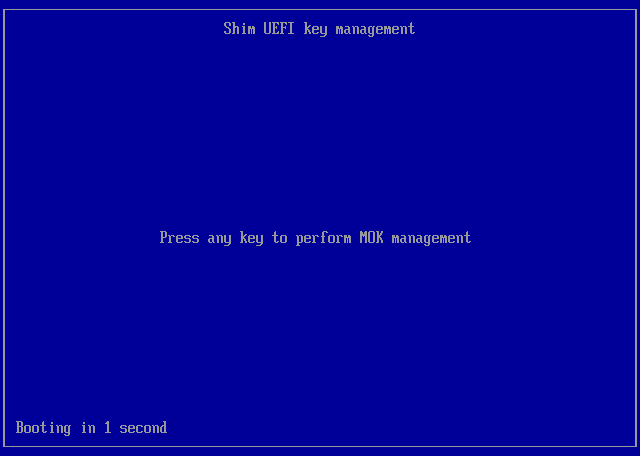
The enrollment must be completed by the user as follows:
Secure Boot can then be enabled in the BIOS:
Run the mokutil tool in a Linux shell to verify that Secure Boot is enabled:
Run the following command to list enrolled keys:
The first key is not stored in NVRAM, it's compiled into Debian's first-stage UEFI program Shim which itself is signed by Microsoft and therefore trusted by UEFI. Shim uses the first key to verify signature of the Grub bootloader and the kernel image. The second key for DKMS is stored in NVRAM.
If the DKMS key is missing, it can be enrolled manually using a temporary password like follows:
The MOK manager will be started automatically after reboot to complete the enrollment process.
 1.17.0